




Designed to Make Life Simple.
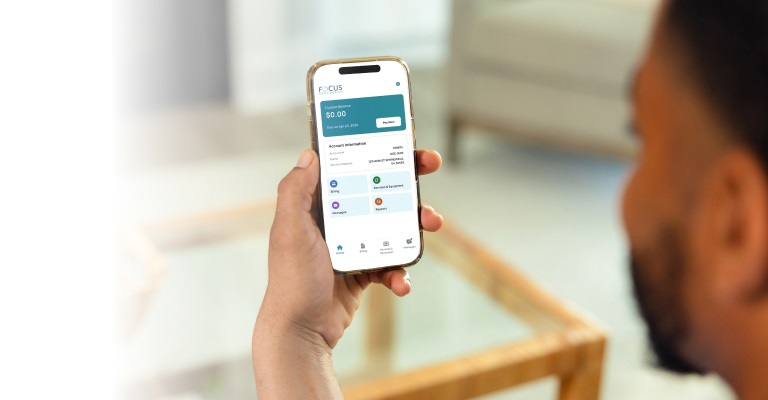
Access and manage your account anytime, anywhere from your smartphone with the FOCUS Broadband app. Designed for convenience, the app gives you quick access to bill payments, account activity, important notifications, and helpful support tools, so you can stay connected to your account wherever you are.
Download our Mobile App Today!




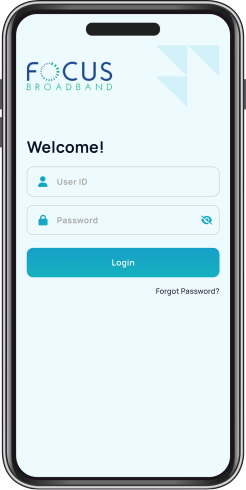
Log in with your My Account username and password. Need help accessing or setting up your account? Contact Customer Care at 888-367-2862. After logging in, enable biometric sign-in to quickly and securely access your account using your fingerprint or facial recognition.
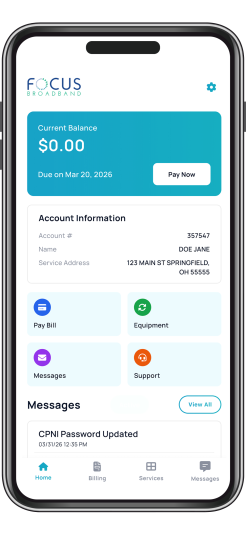
The app's Home Screen gives you quick access to account details, billing information, messages, services and equipment, and customer support.
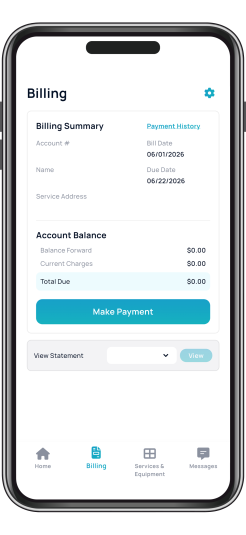
View your current account balance, make secure payments, save payment methods for future use, or enroll in AutoPay all through the app. You can also access up to 24 months of billing statements.
Access details about the services on your account and the equipment you use.
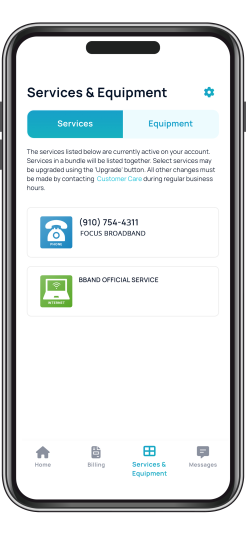
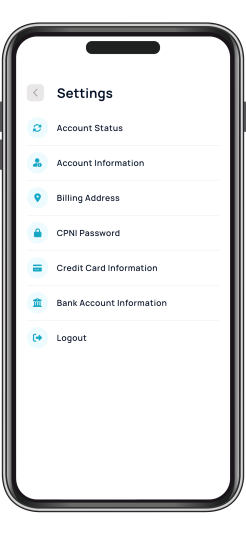
With self-service account management tools, you can update your contact information, billing address, and other account details, or connect with Customer Care for assistance.
Learn how to use the FOCUS Broadband Mobile App!
- Navigate through the FOCUS Broadband App
- Account Information
- Easy Payments
- Billing History
- Self-Service Tools
- Stay Informed
FOCUS Broadband Mobile App FAQs
General App Questions
What is the FOCUS Broadband mobile app?
The FOCUS Broadband mobile app allows customers to conveniently manage their account from their smartphone or tablet.
Is the app free?
Yes. The FOCUS Broadband mobile app is free to download and use.
Where can I download and install the app?
The FOCUS Broadband app is available for Apple (iPhone, iPad, or iPod touch) and Android (phone or tablet) devices and can be found in both the Apple App Store and Google Play Store. Search for “FOCUS Broadband” to download.
What you’ll need:
- Your FOCUS Broadband My Account User ID and password. If you do not already have a My Account set up, please call 888-367-2862 to set one up before you begin the app download process.
- An Apple (iOS 11+) or Android (OS 6+) device.
Installing the app

- Access the App Store (Apple) or Google Play Store (Android) from your device.
- Install the FOCUS Broadband Mobile app.
- Once the app is installed, tap the app icon and sign in using your FOCUS Broadband user ID and password.
What login credentials should I use to login to my app?
Customers can sign in to the mobile app using their existing MyAccount username and password. If you do not already have a My Account set up, please call 888-367-2862 to set one up before you begin the app download process.
I forgot my username or password. What should I do?
Use the “Forgot Password” option on the login screen or contact customer support at 888-367-2862 for assistance.
Are usernames and passwords case sensitive?
Yes. Usernames and passwords must be entered exactly as they were created.
Can I use Face ID or fingerprint login?
Yes. For faster, more secure access, you can enable biometric login on compatible devices.
The app is not working properly. What should I do?
First, make sure you are using the latest version of the app. If problems continue, contact FOCUS Broadband at 888-367-2862.
Do I need internet access to use the app?
Yes. An internet connection or mobile data connection is required to access account information.
Billing & Payments Questions
Can I pay my bill through the app?
Yes. Customers can securely make payments directly through the app.
What payment methods are accepted?
Customers can pay using a credit card, debit card, or bank account.
Can I set up AutoPay in the app?
Yes. Customers can enroll in AutoPay through the app for automatic monthly payments.
Can I view previous billing statements?
Yes. The app allows customers to review the last 24 billing statements.
Can I save my payment information?
Yes. Customers can securely save payment methods for future use.
Account Management Questions
What account information can I update in the app?
Customers can update billing addresses, payment methods, passwords, and communication preferences.
Can I manage Vacation Disconnect through the app?
Yes. Eligible customers can activate or deactivate Vacation Disconnect directly within the app.
Can the FOCUS Broadband app be used to control my Plume Wi-Fi devices or the Plume Home Pass app?
No. The Plume Home Pass app is strictly dedicated to your Wi-Fi and is not available in the FOCUS Broadband app.
Can the FOCUS Broadband app be used to control home security and smart home features from FOCUS Broadband?
No. The FOCUS Broadband Mobile app is not connected to FOCUS Broadband’s home security and smart home features and cannot be used to control those systems.
Notifications & Support Questions
Will the app send notifications?
Yes. Customers may receive account notifications, billing reminders, and important service updates.
Can I contact support through the app?
Yes. The app provides quick access to support resources and customer service contact information.


